

Standard Loan Offers
Standard loan offers are proposals from lenders to borrowers who have listed an NFT, indicating they seek loans against it. Each offer details the terms, including the principal, APR, due date, and optional origination fee. For more information on how these work, visit Loan Offers
Step 1: Find Listed Items
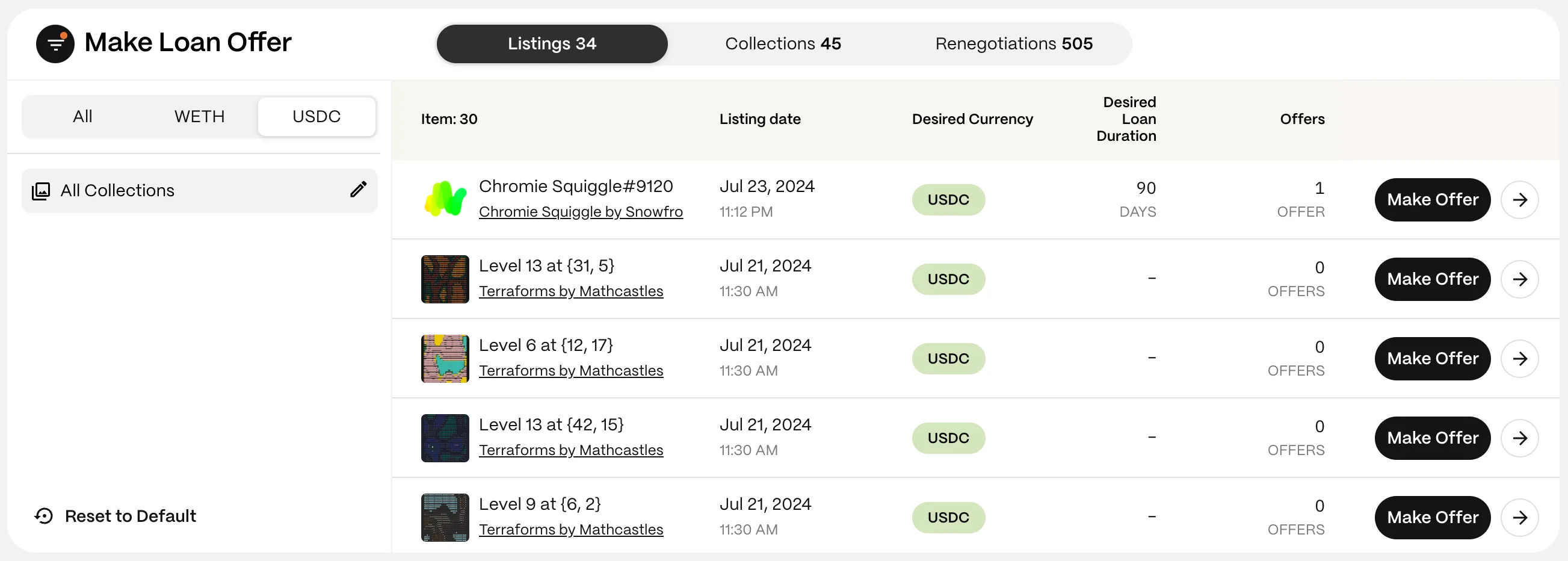
Section titled “Step 1: Find Listed Items”Navigate to the Make Offers page and select the ‘Listings’ tab to see all NFTs seeking loan offers.

Step 2: Use Filters to Find Items
Section titled “Step 2: Use Filters to Find Items”When borrowers list an item seeking a loan, they can optionally specify their desired terms, such as currency and loan duration. These details are visible in each item listing and on the offer page.
- Currency (WETH or USDC): Choose the asset used for the principal.
- Collections: View all loans or select a specific collection.
Step 3: Select an Item
Section titled “Step 3: Select an Item”Click the ‘Make Offer’ button next to the desired loan to enter the Offer page.
Step 4: Connect Your Wallet
Section titled “Step 4: Connect Your Wallet”If not already connected, you’ll be prompted to connect your wallet.
Step 5: Define Your Loan Offer
Section titled “Step 5: Define Your Loan Offer”When listing an item, borrowers can signal their currency and duration preferences. Lenders can submit offers with different terms, but offers that match the borrower’s preferences have a higher chance of acceptance.
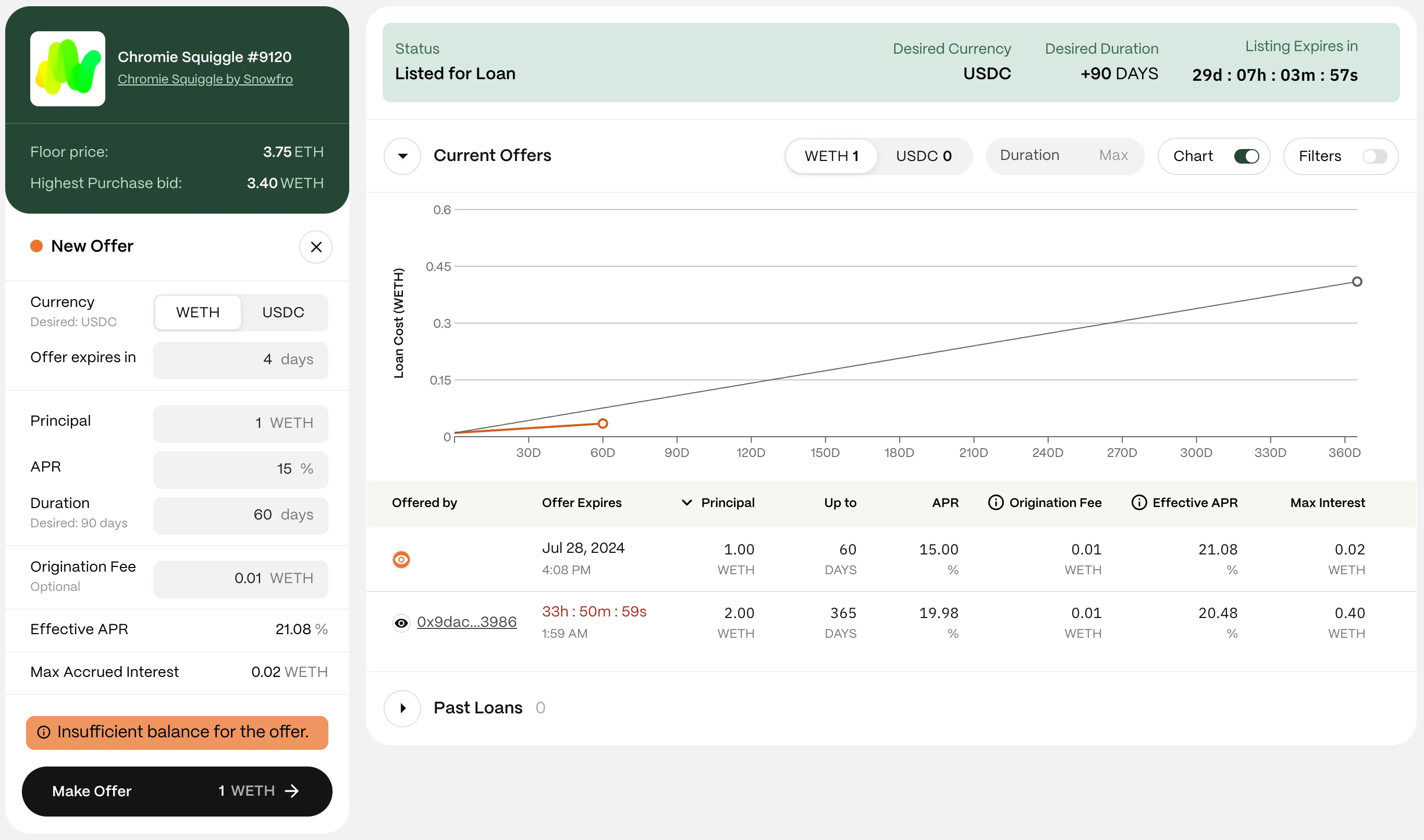
- Currency: The asset you offer (WETH or USDC).
- Expiration Date: Set a timeframe for your offer’s validity. At least three days is recommended.
- Principal: Enter the loan amount you want to lend.
- APR: Select your desired interest rate.
- Duration: Set the repayment deadline.
- Origination Fee (optional): Optionally include an origination fee (up to 10% of the principal, typically not exceeding 2%).
- Effective APR: Shows the loan’s final APR, including the origination fee.
- Max Accrued Interest: The maximum interest the lender will receive if the borrower repays just before the due date. With GONDI’s pro-rata system, if the borrower pays back earlier, the APR will be lower.
Step 6: Make the Offer
Section titled “Step 6: Make the Offer”When ready, click ‘Make Offer’. Review the terms, then sign the approval transaction with your wallet (you’ll need a small amount of gas).
Step 7: Wait for Borrower
Section titled “Step 7: Wait for Borrower”Once you submit a loan offer, the borrower should review it and respond within the specified timeframe. If you submit it in your GONDI profile, you’ll be notified of their decision by email or through the GONDI notifications page.
These steps should help you effectively submit a loan offer. Feel free to ask in GONDI’s Discord if you need further assistance.